
Map shops & blips
Players open the menus by walking into a shop on the map and pressing E. You manage the shops from the admin panel: where each one is, its radius, its blip and its E sign. You can add one by standing on the spot, or by looking at it.
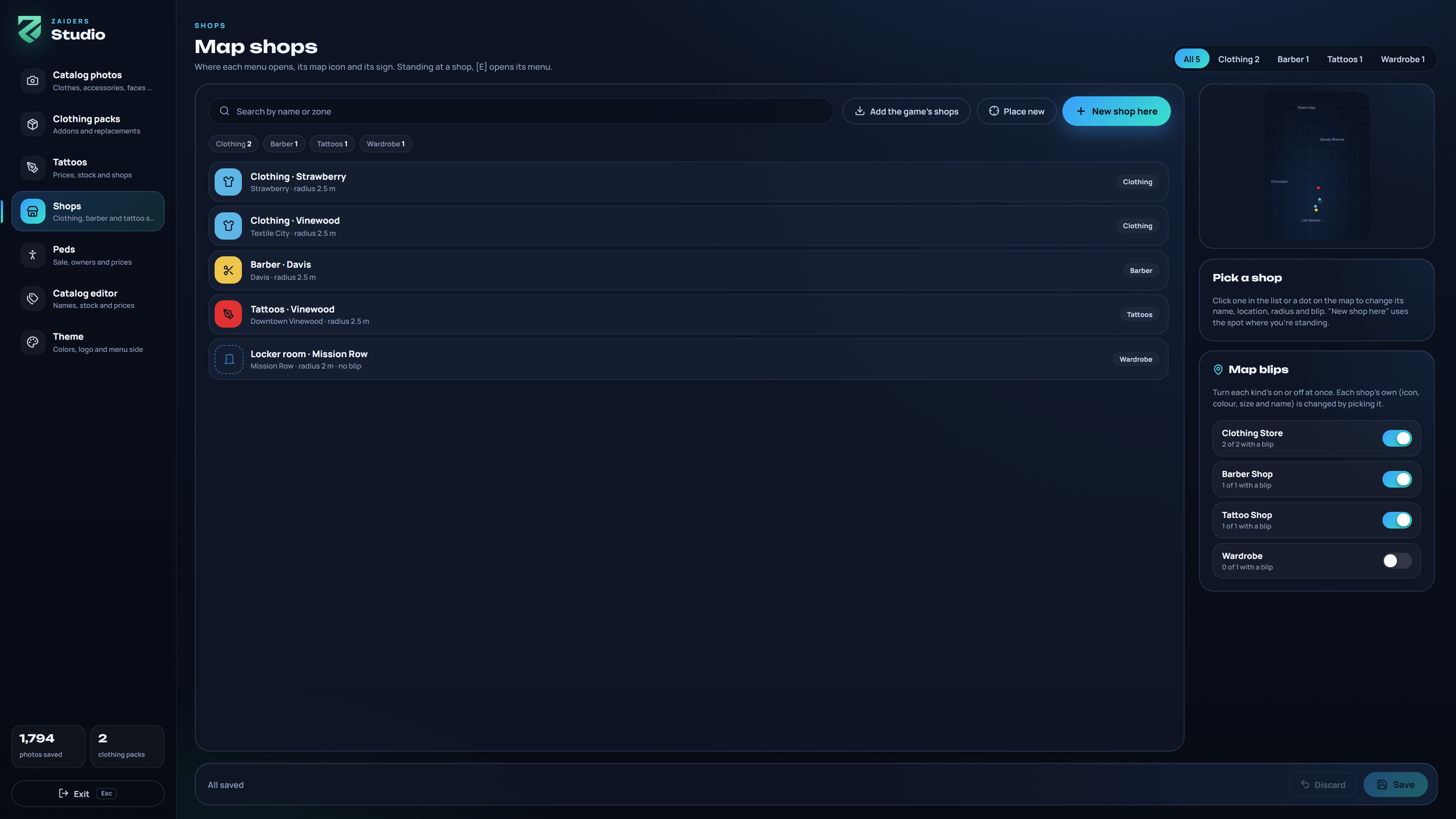
The kinds of shop
| Kind | E opens |
|---|---|
| Clothing Store | The clothing store, the wardrobe, or a small menu to choose between them. |
| Barber Shop | The barber shop. |
| Tattoo Shop | The tattoo shop. Its shops leave the map if the tattoo shop is off. |
| Wardrobe | The wardrobe: the player's outfits and their job's and gang's uniforms. Useful for police locker rooms or houses. |
Until you save shops in the panel, the game's 27 are used: 14 clothing stores, 7 barber shops and 6 tattoo parlors.
Adding a shop
Open the panel on Shops (/zappearance shops):
- New shop here creates one where you're standing.
- Place new places one where you look. The panel hides and a marker follows your crosshair, up to 12 meters away (
Config.Shops.place.reach), with the radius drawn on the floor. E places it, the mouse wheel (or Page Up / Page Down) raises or lowers it, and Backspace or Esc cancels. The panel comes back with the spot and its zone. - Add the game's shops adds the game's shops you don't have, skipping any within 30 meters of one you already have.
Nothing is applied until you click Save.
Editing a shop
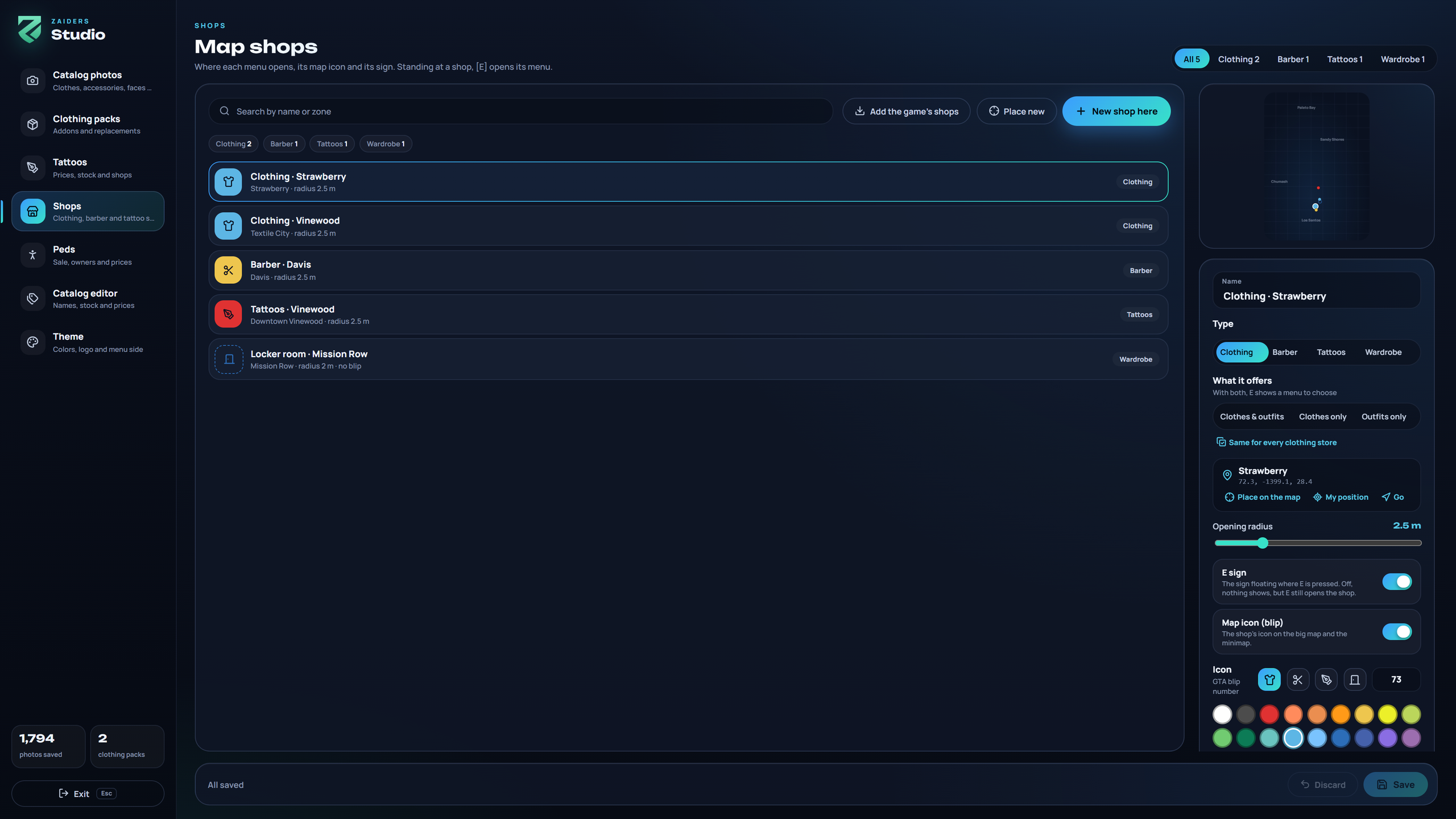
Click a shop in the list, or its dot on the map:
| Field | What it does |
|---|---|
| Name | The name shown on its E sign and its blip. |
| Type | Clothing Store, Barber Shop, Tattoo Shop or Wardrobe. The blip follows the type unless you changed it. |
| What it offers | Clothing stores only: Clothes & outfits (E shows a small menu to choose), Clothes only or Outfits only. Same for every clothing store copies it to the others. |
| Location | Its spot and zone. My position moves it to where you stand; Go takes you there and closes the panel; Place on the map places it with the crosshair. |
| Opening radius | How close the player must be to press E, from 1 to 8 meters. |
| E sign | The floating sign. Off, nothing shows, but E still opens the shop. |
| Map icon (blip) | On or off, the Icon (a GTA blip number), its color, its Size, On the minimap, only up close and its Name on the map. This blip on every shop of this kind copies it to the rest. |
Delete this shop asks you to click again.
Map blips
With no shop picked, Map blips turns a whole kind on or off at once, and says how many shops of each kind have a blip.
On the big map, each kind's blips are listed together under its name (Clothing stores, Barber shops, Tattoo parlors, Wardrobes). This uses four of the game's blip categories, 121 to 124 (Config.Shops.blipLegend). If another script uses those, set another number, or false to list each blip on its own.
Config.Shops.blips = false hides every shop blip, whatever the panel says.
The E sign
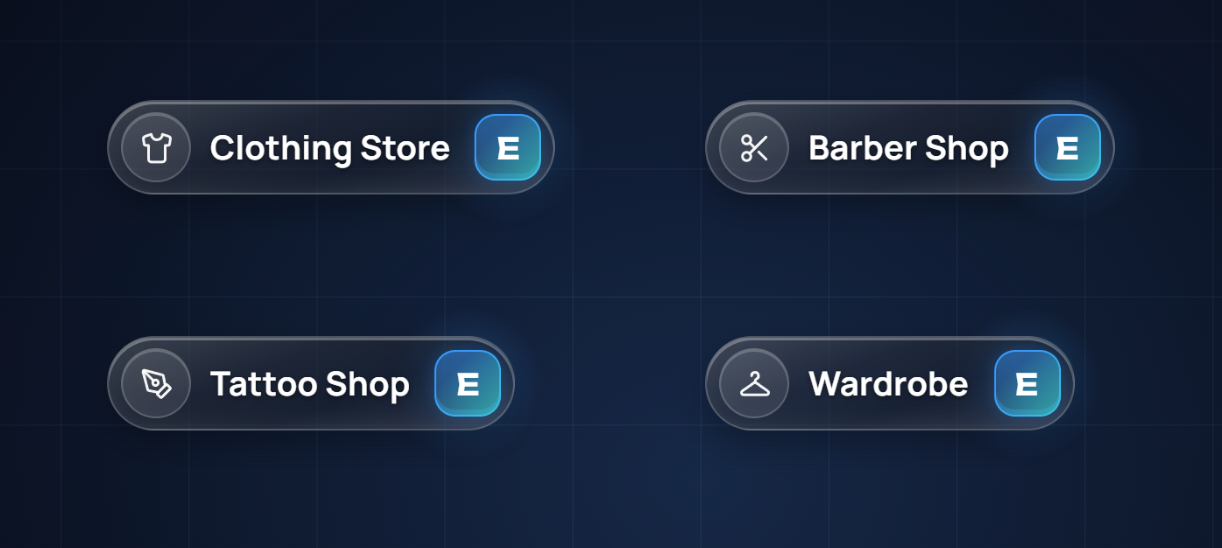
A glass sign floats where E is pressed, with the shop's icon, its name and the E key in the menu's colors (the panel's Theme). It shows from 8 meters away, and the key lights up when E can be pressed.
Config.Shops.prompt sets its height, distance and size. Older styles are also available, all off by default:
ball: a small sphere over the shop,marker: a circle on the ground with the radius,textUI: ox_lib's "[E] ..." notice on screen.
See Config reference: map shops.
Saving
Save writes datos/tiendas.json, and every player sees the new shops and blips at once.
When Config.Locale changes, shops that still have the name the game or the panel gave them are renamed in the new language. See Languages & texts.