
Tattoo shop
The tattoo shop sells the game's tattoos with their GTA Online prices, your server's addon tattoos and the hair fades, by body zone. While a player is in the shop, their clothes come off so the skin shows. When they leave, the clothes go back on.
It's for the freemode characters, the man and the woman.
The entrance
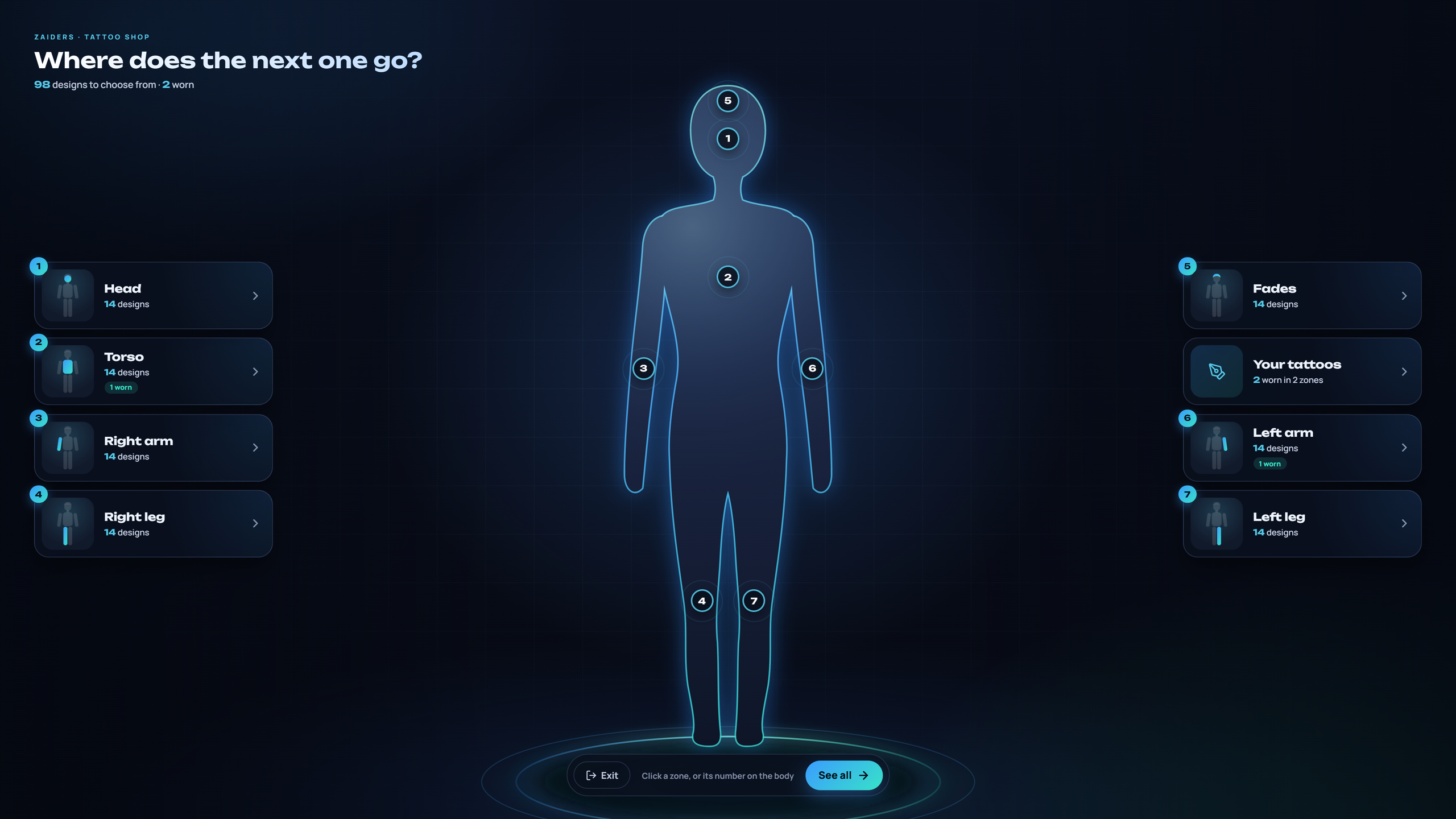
The shop opens on the whole body, seen from the front. Click a zone's card, or its number on the body: Head, Torso, Left arm, Right arm, Left leg, Right leg and Fades. Your tattoos lists what the player already wears. When your server has addon tattoos, All or Addons at the top shows every design or only the addon ones.
Choosing a tattoo
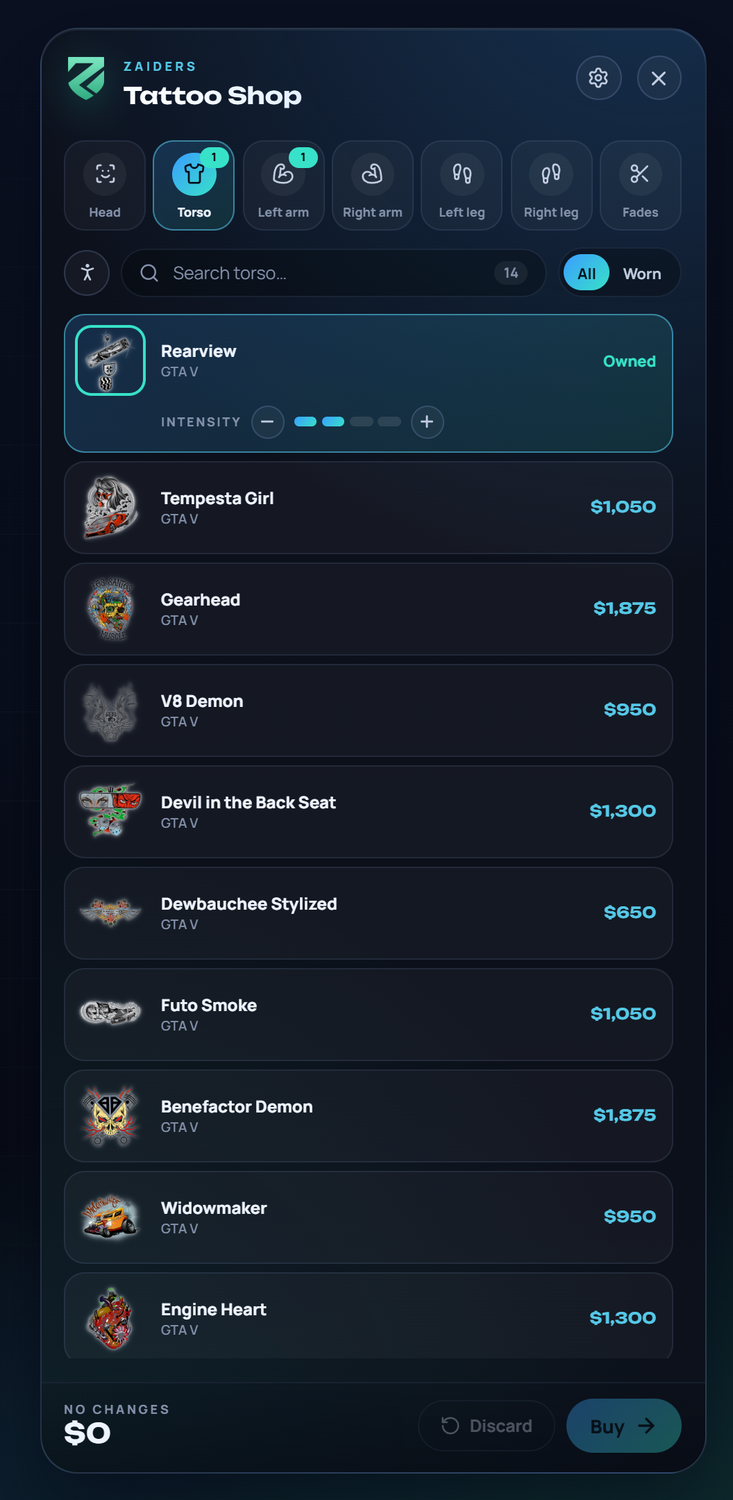
Each zone lists its tattoos with their picture, name, pack and price. Click one to try it on, and click again to take it off.
- Search by name or pack.
- All or Worn filters the list (and Addons, when your server has addon tattoos).
- The body button goes back to the entrance.
- The zone tabs at the top switch zones, and show how many tattoos the player wears in each.
A tattoo the player already has says Owned. The selected one shows its Intensity.
Darker layers
The game has no opacity for tattoos, so a darker tattoo is the same tattoo put on again. Intensity adds or takes away layers, up to Config.Tattoos.maxLayers (4 by default). Each extra layer costs a part of the tattoo's price (layerPercent, 25% by default).
Tattoos on top of each other
A tattoo can go over another one, and both stay on. Players can combine designs in the same place.
Removing a tattoo
Clicking a tattoo the player owns marks it to be removed. Removing a tattoo, or lowering its layers, costs Config.Tattoos.removePrice.
Which tattoos show
- The game's tattoos come with their GTA Online price and their names in English and Spanish. Only the ones your server's game build has are shown.
- Your addon tattoos, from packs that load a
PED_OVERLAY_FILE, show up on their own, by zone. - Hair fades are tattoos of the head, in their own zone.
Each tattoo shows a picture. The game's tattoos show their own picture. For addon tattoos, the server can make a small picture of each one: in the panel, Tattoos → Images, or the console command zappearance_imagenes_tatuajes. Then run ensure zaiders_fotos so players get them. See Catalog photos.
Prices
| Tattoo | Price |
|---|---|
| The game's | Its GTA Online price × priceFactor (0.25: a $10,000 tattoo costs $2,500). maxPrice sets a ceiling. |
| Addon, or the game's without a price | addonPrice: 'auto' uses its zone's typical price × the factor, or set a number. |
| Hair fades | fadePrice ($120). |
| Each darker layer | layerPercent % of the tattoo's price. |
| Removing | removePrice ($150). |
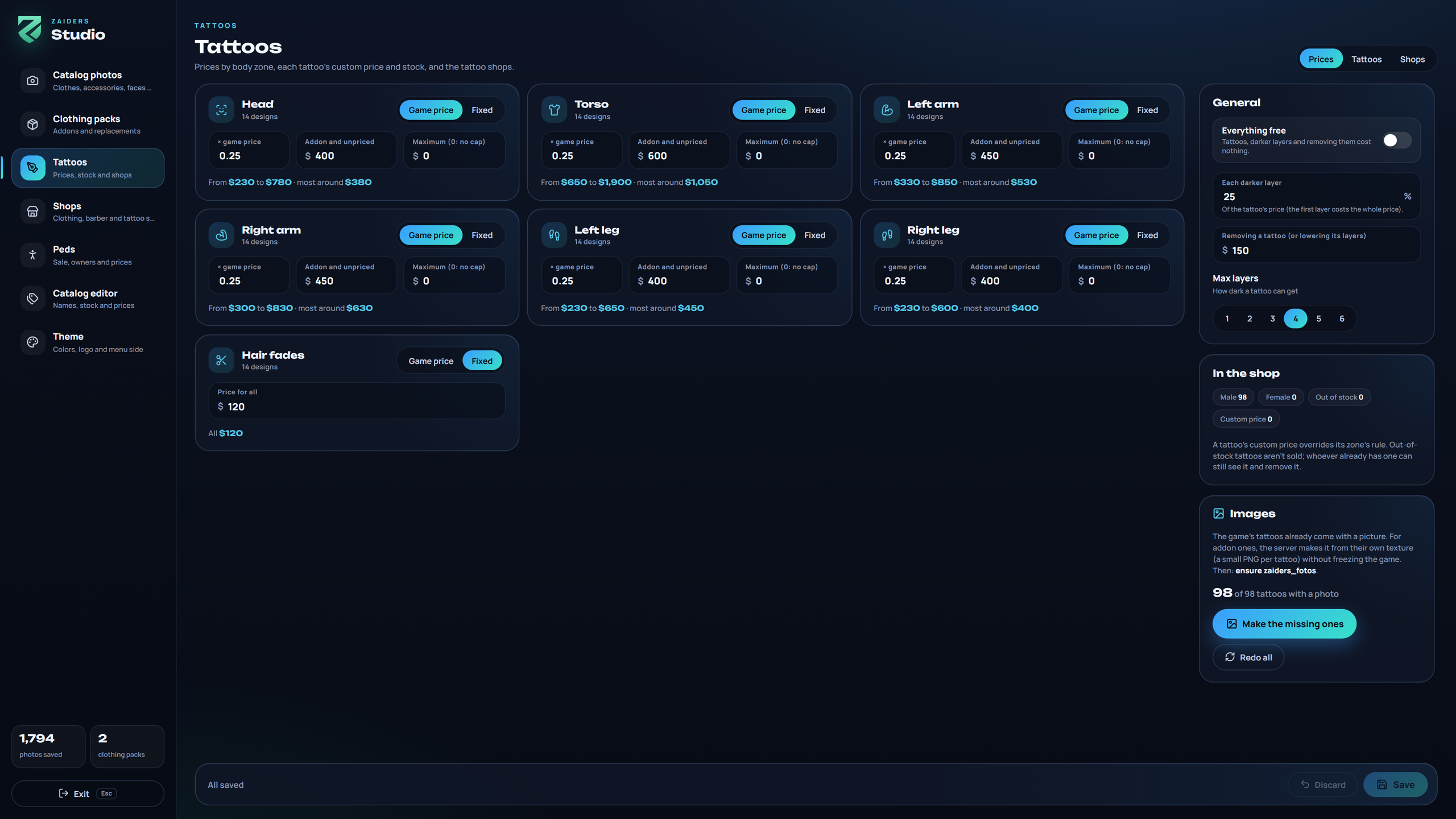
All of this can be changed in the panel: Tattoos → Prices has one rule per zone (Game price × a factor, or Fixed) and shows the range of prices it gives. Tattoos → Tattoos sets each tattoo's own price and stock, many at once with the checkboxes. Everything free makes the whole shop free. See ZAIDERS Studio.
Out of stock
A tattoo out of stock isn't sold and can't be put on. A player who already has it still sees it, marked, and can remove it.
Saved tattoos
Bought tattoos are saved in the zaiders_tattoos table, which is created by itself. They go on when the character joins, and again whenever another script changes the ped. This works on any framework, whatever resource loads the clothes.
Using another tattoo resource
Config.Tattoos.enabled = falseturns this tattoo shop off.- If a resource from
Config.Tattoos.ownersis running, the shop turns itself off with no change on your part. Its shops leave the map, nothing is sold, and saved tattoos aren't put on, so the two never clash. The panel's Tattoos section says which resource took over. Stop that resource and the shop comes back.