
Peds & ped codes
Peds is a section of the clothing store. It has the freemode man and woman, a shop with the game's peds and your server's addon peds, and a box to redeem ped codes.
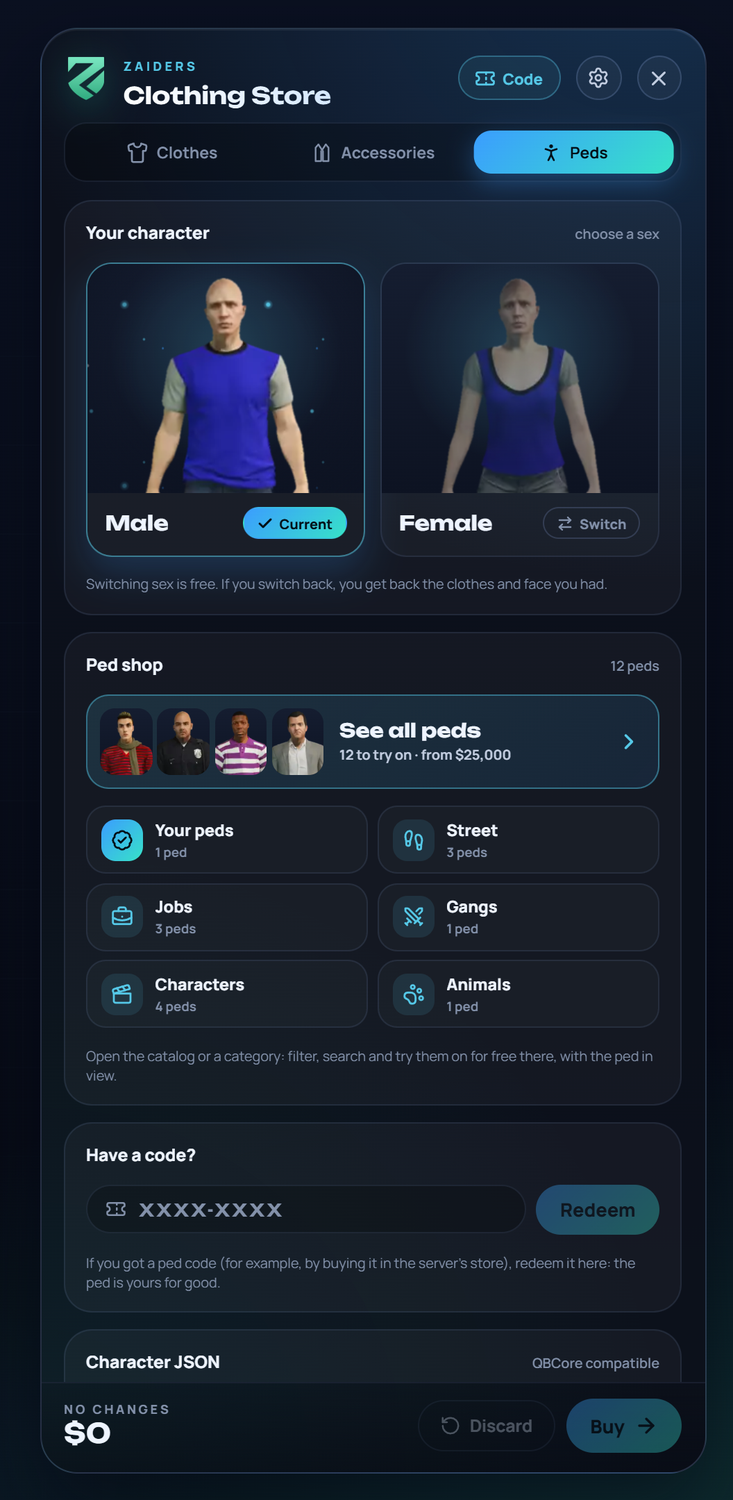
Your character
Male and Female: the freemode characters. Switching is free. If you switch back, you get back the clothes and face you had.
Ped shop
See all peds opens the catalog. The categories below it (Your peds, Street, Jobs, Gangs, Characters, Online, Animals, Server) open it filtered.
Have a code?
Players type a ped code here and click Redeem. See Ped codes.
Character JSON
Copies the character's look in QBCore's format. Admins can also paste one.
The ped catalog
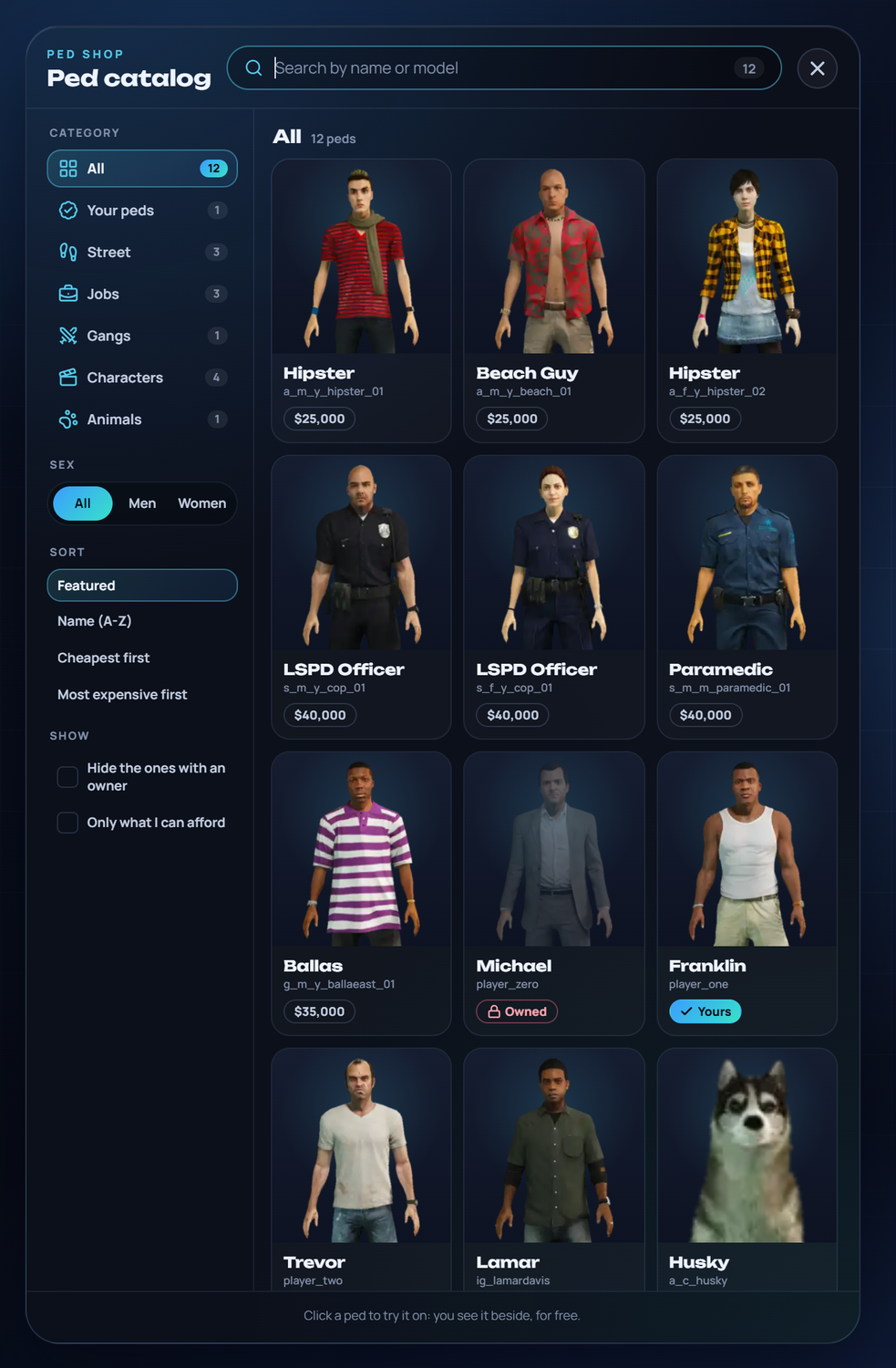
Each ped has a picture, its name, its model and its price. On the left you can filter by category and sex, sort (Featured, Name (A-Z), Cheapest first, Most expensive first), Hide the ones with an owner and show Only what I can afford. The search finds a ped by name or model.
- Click a ped to try it on, for free. Leaving the menu without buying it takes it off.
- Buy makes it the character's for good. It shows under Your peds, and putting it on again is free.
- Only the peds your server's game version has are shown. A ped from a newer GTA update doesn't show.
Back to your character
The first time a character saves a ped, their own look (face and clothes) is kept. Back to your character puts it on again, without paying for what they already had.
One ped, one owner
With One ped, one owner on, once someone buys a ped, the next player is told it already has an owner (Owned). It can be turned on for every ped, or ped by ped in the panel's Catalog.
Ped by name
Admins also see Ped by name: type any model that exists on the server, such as a_m_m_beach_01, and become it. Config.PedByName decides who sees it ('admins', 'todos' for everyone, 'nadie' for no one), and Config.PedBlacklist lists peds nobody may use. The server checks both again when paying.
Ped codes
Codes let you sell peds outside the game, for example in your server's store. The buyer gets a code and redeems it in the menu. The ped becomes theirs for good, without paying in the game.
Make the codes
In the panel: Peds → Codes. Pick the ped (a game ped or one of your addon peds), how many codes (up to 20) and an optional note, such as your store's order number. Click Make codes and copy them.
Give the code to the buyer
Send it the way your store delivers purchases. Codes look like
M4KQ-2TZB.The player redeems it
In the menu: Peds → Have a code? → type the code → Redeem. Then Put it on.
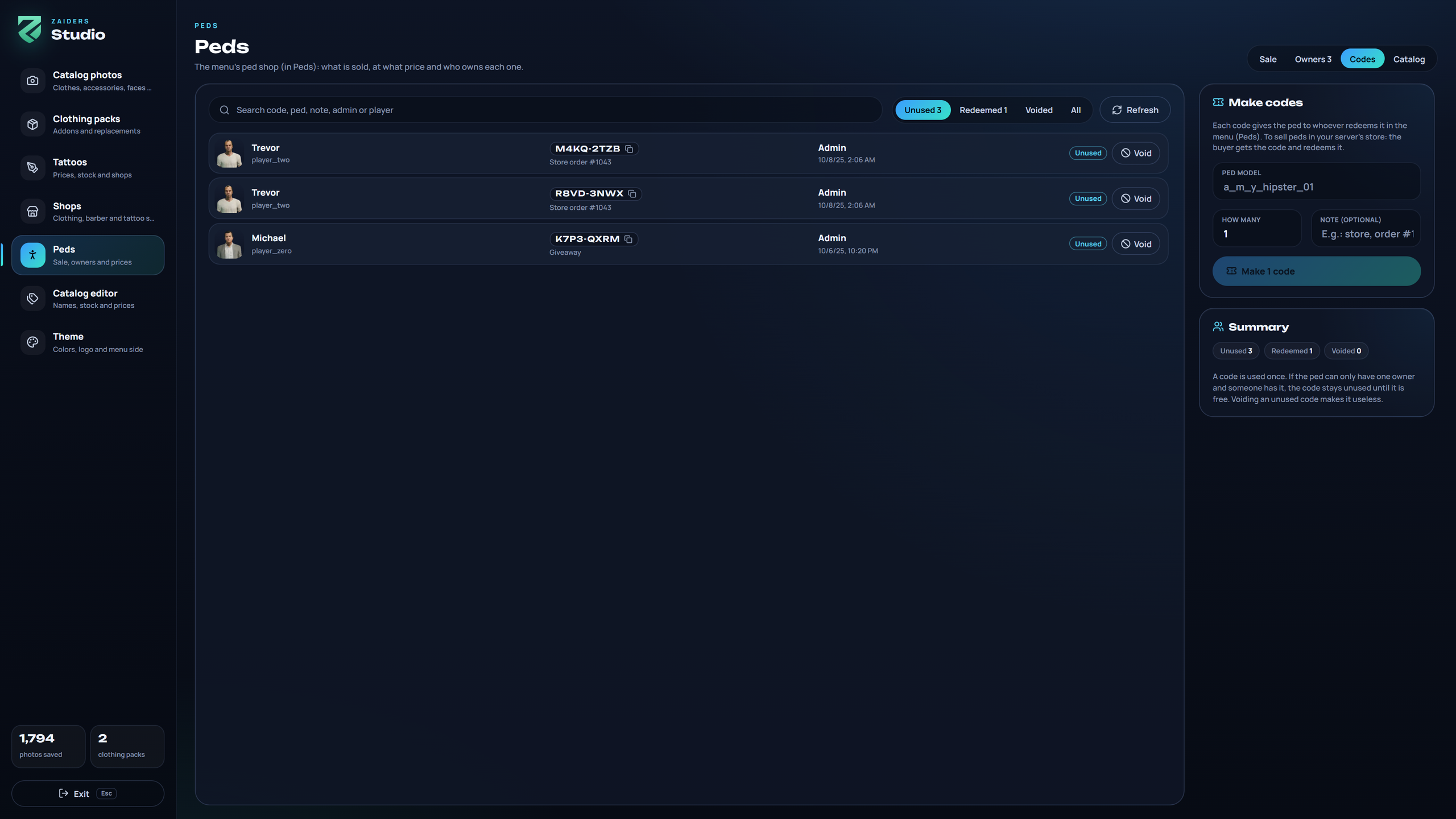
- Each code is used once.
- The list says who made each code and when, and who redeemed it and when. Filter by Unused, Redeemed or Voided.
- An unused code can be voided.
- One ped, one owner and the blacklist still apply. If the ped already has its one owner, the code stays unused until the ped is free.
- Codes are turned off with
Config.PedShop.codes = falseor in the panel (Sale → Redeem codes). With the shop's sales off, players can still redeem codes.
The panel's Peds section
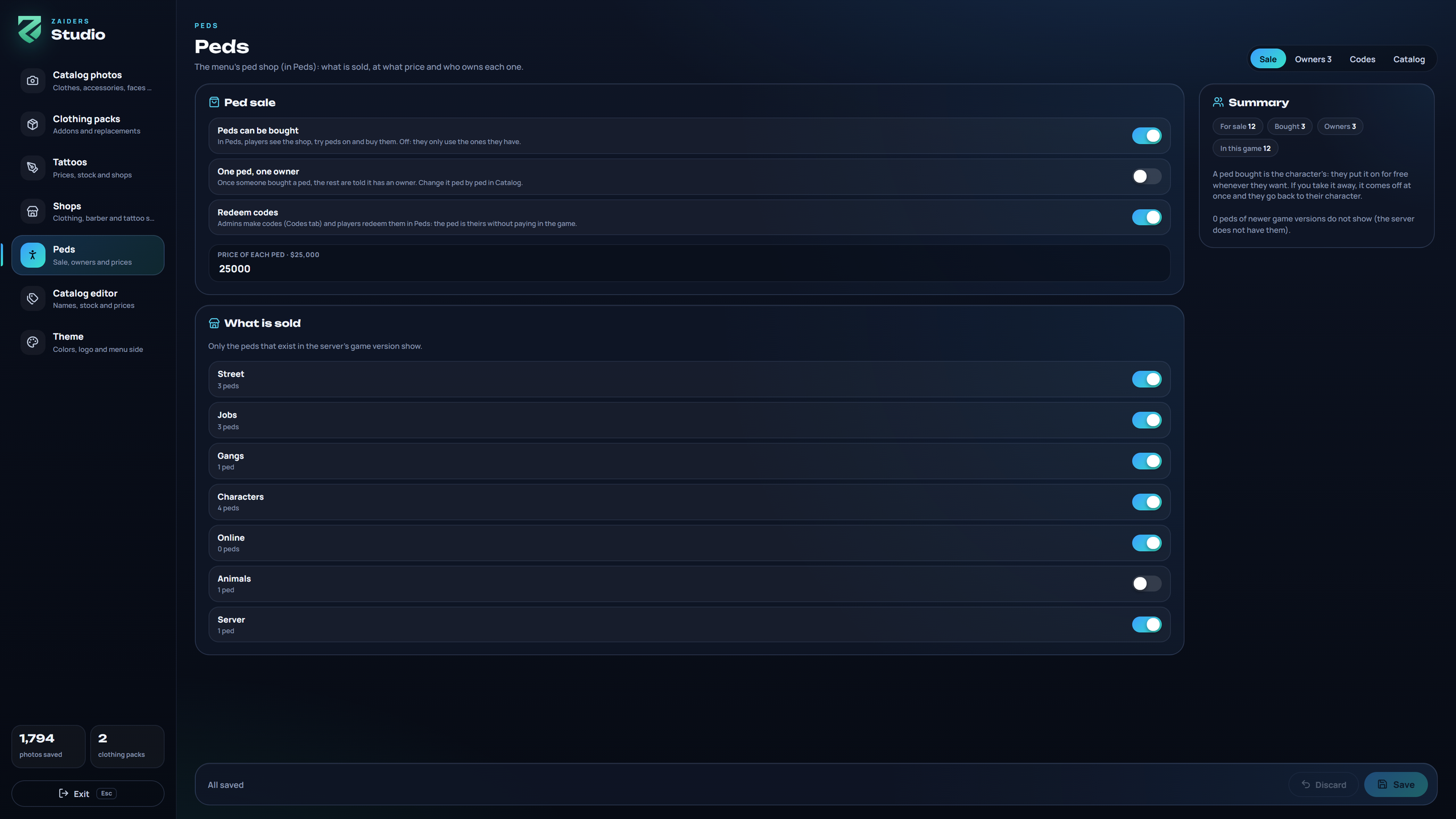
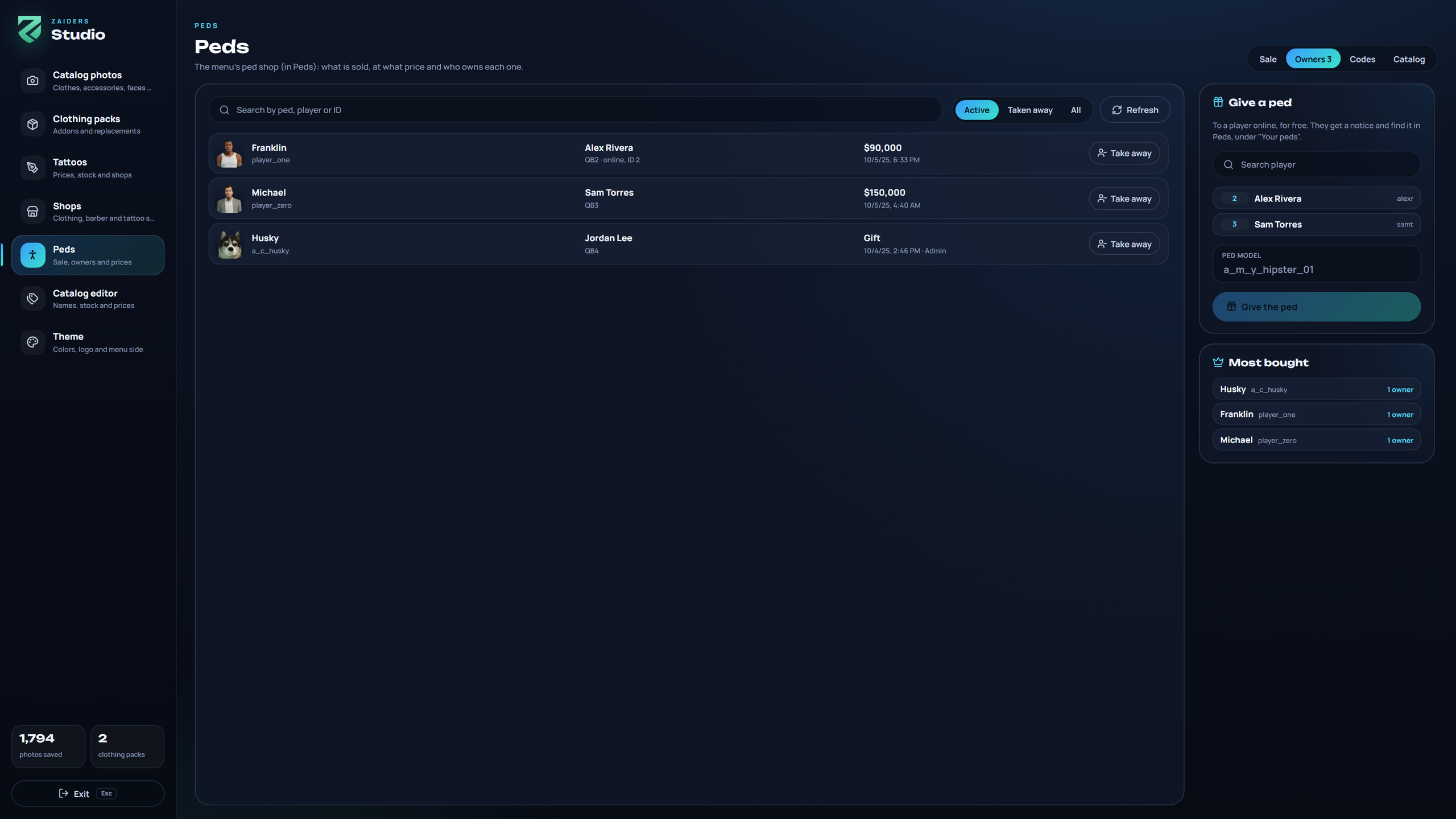
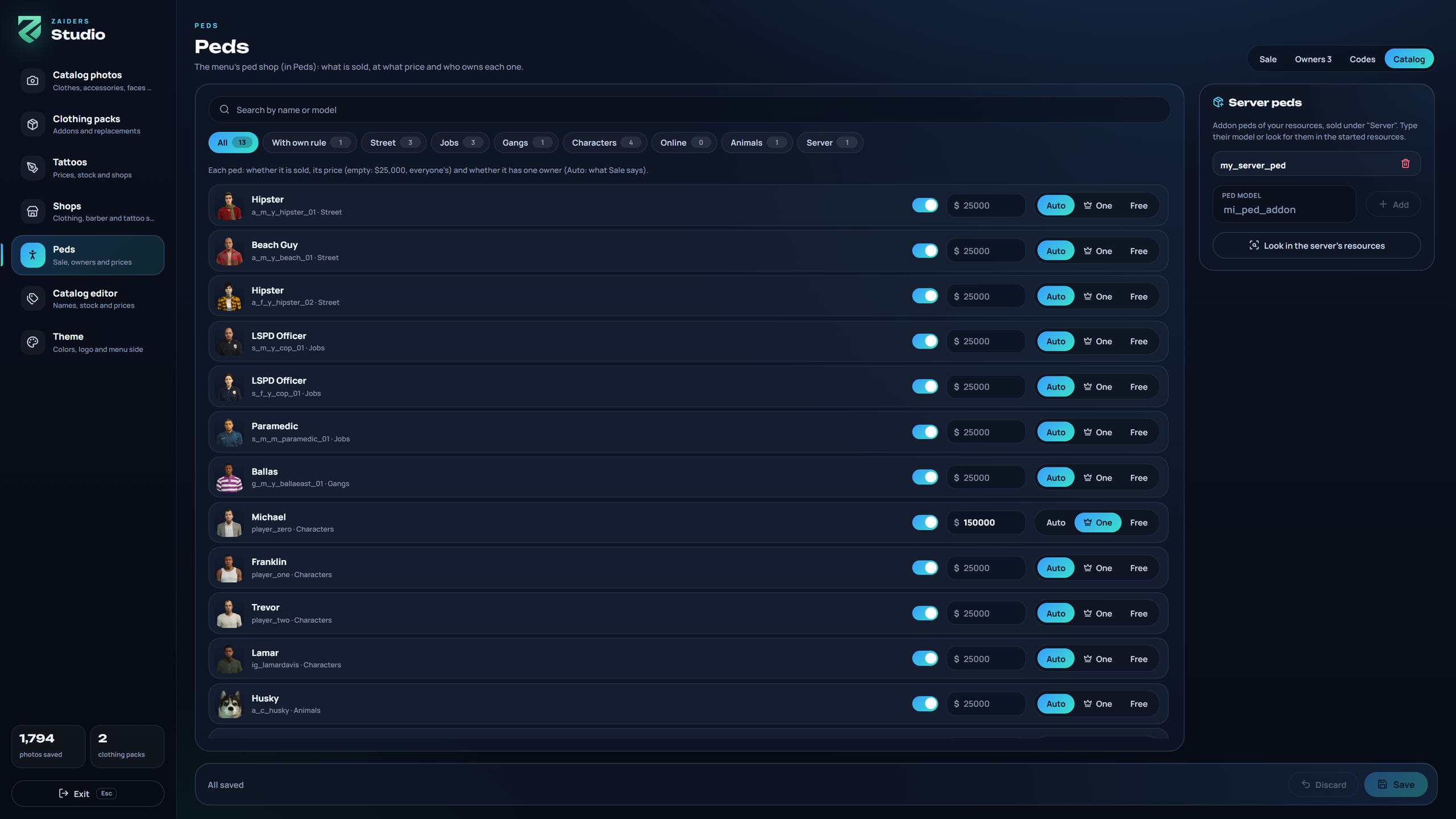
| Tab | What it does |
|---|---|
| Sale | Peds can be bought, One ped, one owner, Redeem codes, the price of each ped and What is sold (by category). |
| Owners | Every ped bought or given, who has it and since when. Take away removes it: if the player is online and wearing it, it comes off at once and they go back to their own look (also when they join again). It stays in the list as taken away. Give a ped gives one to a player online, for free. |
| Codes | Make, copy, search and void ped codes. |
| Catalog | Each ped's own price, its one-owner rule (Auto, One or Free) or not for sale. Under Server peds, add your addon peds by typing their model, or Look in the server's resources to find them. |
What you save in the panel wins over Config.PedShop. See Config reference: peds.
Good to know
- Pictures: the ped pictures come from FiveM's documentation, and each player downloads the ones they look at. Photos taken with the panel's studio come first (Catalog photos → Peds).
Config.PedShop.images = false: no pictures from the internet. - ESX with skinchanger running: peds aren't sold, because skinchanger only keeps the freemode man and woman.
- Qbox: only peds the server knows by name are saved (the game's peds and your addon peds from the panel), because Qbox's character screen loads the model by its name.
- Other scripts can ask whether a character owns a ped. See Exports, events & hooks.
Where it's saved
| Table | What it holds |
|---|---|
zaiders_peds | Who owns which ped, and the ones taken away. |
zaiders_peds_base | Each character's own look, kept from before their first ped. |
zaiders_ped_codes | The codes: who made them, who redeemed them, and the voided ones. |
All three are created by themselves, and they're also in Appearancez.sql.