
ZAIDERS Studio
ZAIDERS Studio is the admin panel, inside the game. From it you take the catalog photos, check your clothing packs, set tattoo prices, place the shops on the map, run the Peds shop, edit every garment and choose the menu's look. You don't need to edit any file for any of this.
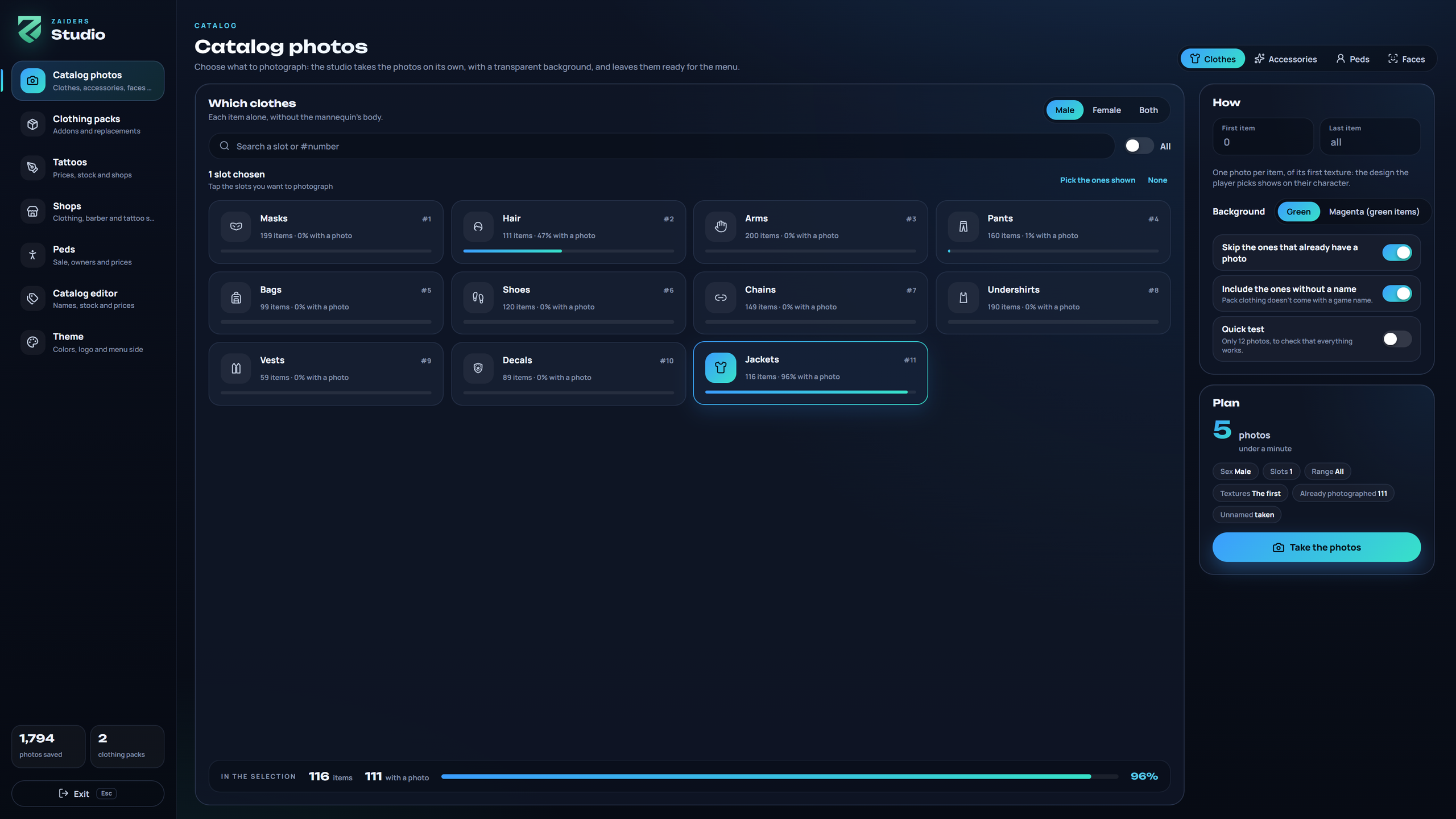
Opening it
| Command | Opens on |
|---|---|
/zappearance admin (or panel) | Catalog photos |
/zappearance photos | Catalog photos |
/zappearance shops | Shops |
/zappearance prices | Tattoos → Prices |
Only admins can open it. See Commands & permissions. It opens even if the photos resource is missing; then only Catalog photos says what to fix.
How it's laid out
- On the left, the sections, each with a line saying what it holds. At the bottom: how many photos are saved, how many clothing packs the server has, and Exit (Esc).
- Each section has a big title with a short explanation and, on its right, its views or actions.
- Changes aren't applied until you save. The bar at the bottom says how many changes are pending, with Discard and Save. If you try to leave with unsaved changes, the panel warns you first; trying again leaves anyway.
- What you save goes to
zaiders_appearance/datos/and reaches every player at once. See Escrow & editable files.
While the panel is open, the menu can't be opened, and the HUD stays hidden.
Catalog photos
Photographs every garment, accessory, face and ped, each on its own with a transparent background, ready for the menu. You pick what to photograph and the panel does the rest. See Catalog photos.
Clothing packs
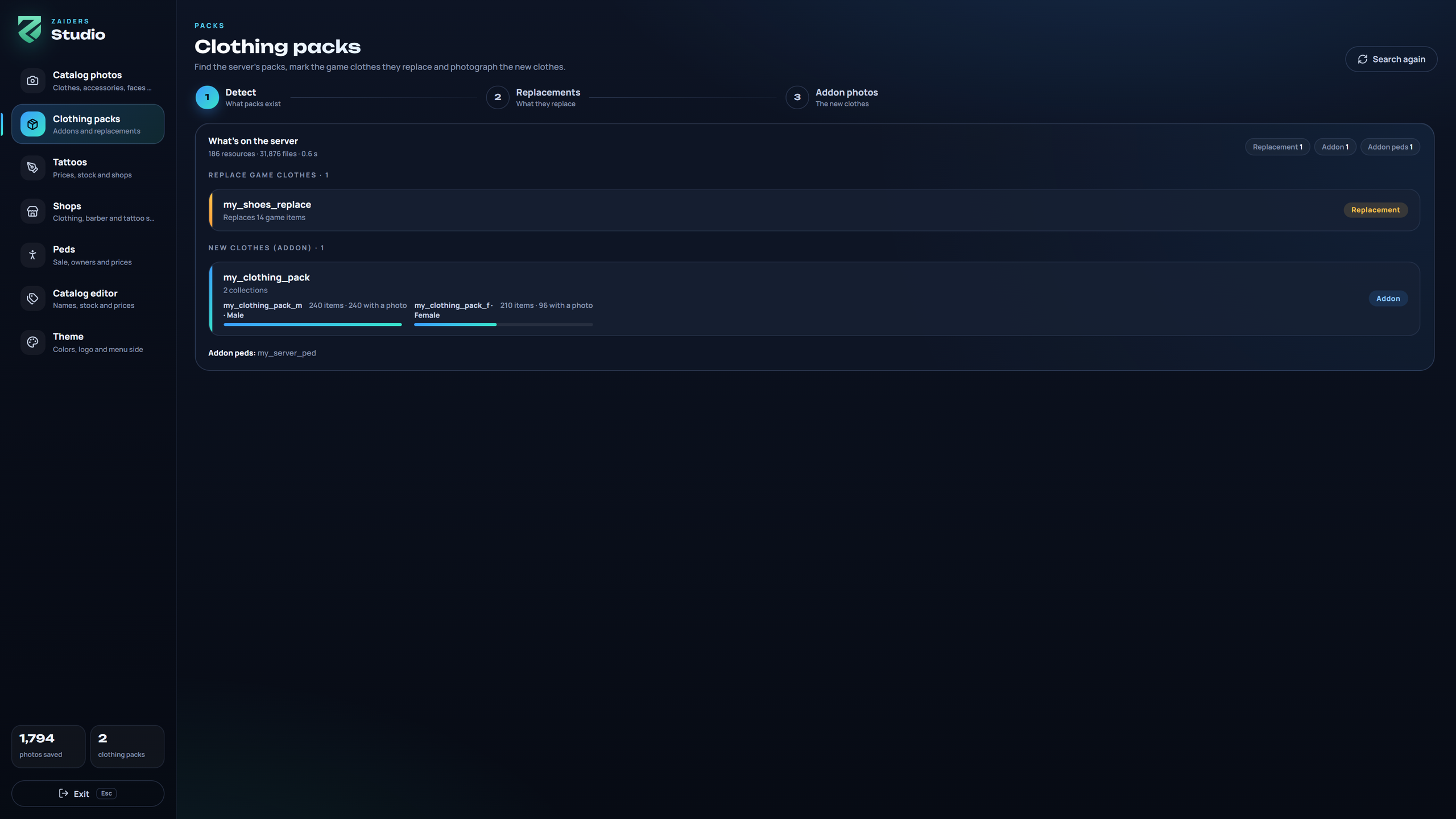
It reads the file names of your server's resources to find the clothing packs, in three steps:
- Detect lists what's on the server: packs that replace game clothes (how many garments each one replaces), addon packs with their collections (how many garments each has and how many already have a photo), and addon peds. A stopped pack shows dimmed. Search again reads them anew.
- Replacements: a pack that replaces game clothes makes those garments' photos wrong. By file name counts them (Just count) or marks them (Mark as replaced), without taking photos. By fingerprint (slow) takes the photo of each garment again and compares it with the saved one, to confirm replacements, and can save the new photo if it changed.
- Addon photos photographs the new clothes of the addon packs, collection by collection.
Tattoos
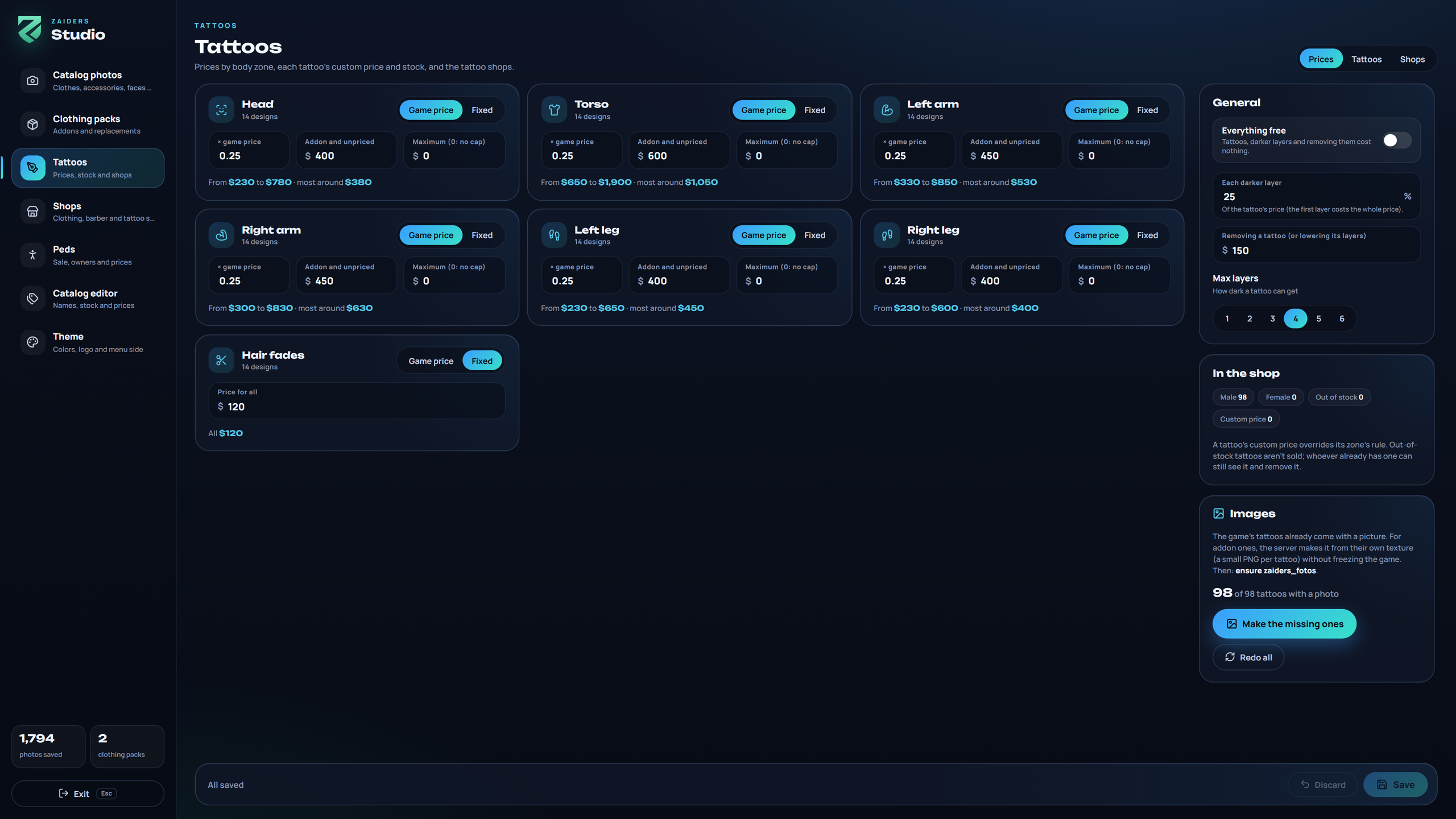
Three views:
- Prices: one card per zone (head, torso, each arm, each leg, hair fades) with its rule. Game price multiplies GTA's price by a factor, and addon tattoos (with no price) cost Addon and unpriced. Fixed gives every tattoo of the zone the same price. Each card shows the range of prices it gives. General has the price to remove a tattoo, each darker layer's share, the most layers, and Everything free.
- Tattoos: every tattoo of each sex, with a search and filters by zone and state. Each row shows the game price, the price it ends up with, its custom price and In stock / Out of stock. Tick several to change them together.
- Shops: the tattoo parlors, as in the Shops section.
Images makes the pictures of your addon tattoos from their own textures (Make the missing ones, Redo all). Then run ensure zaiders_fotos. See Tattoo shop.
Shops
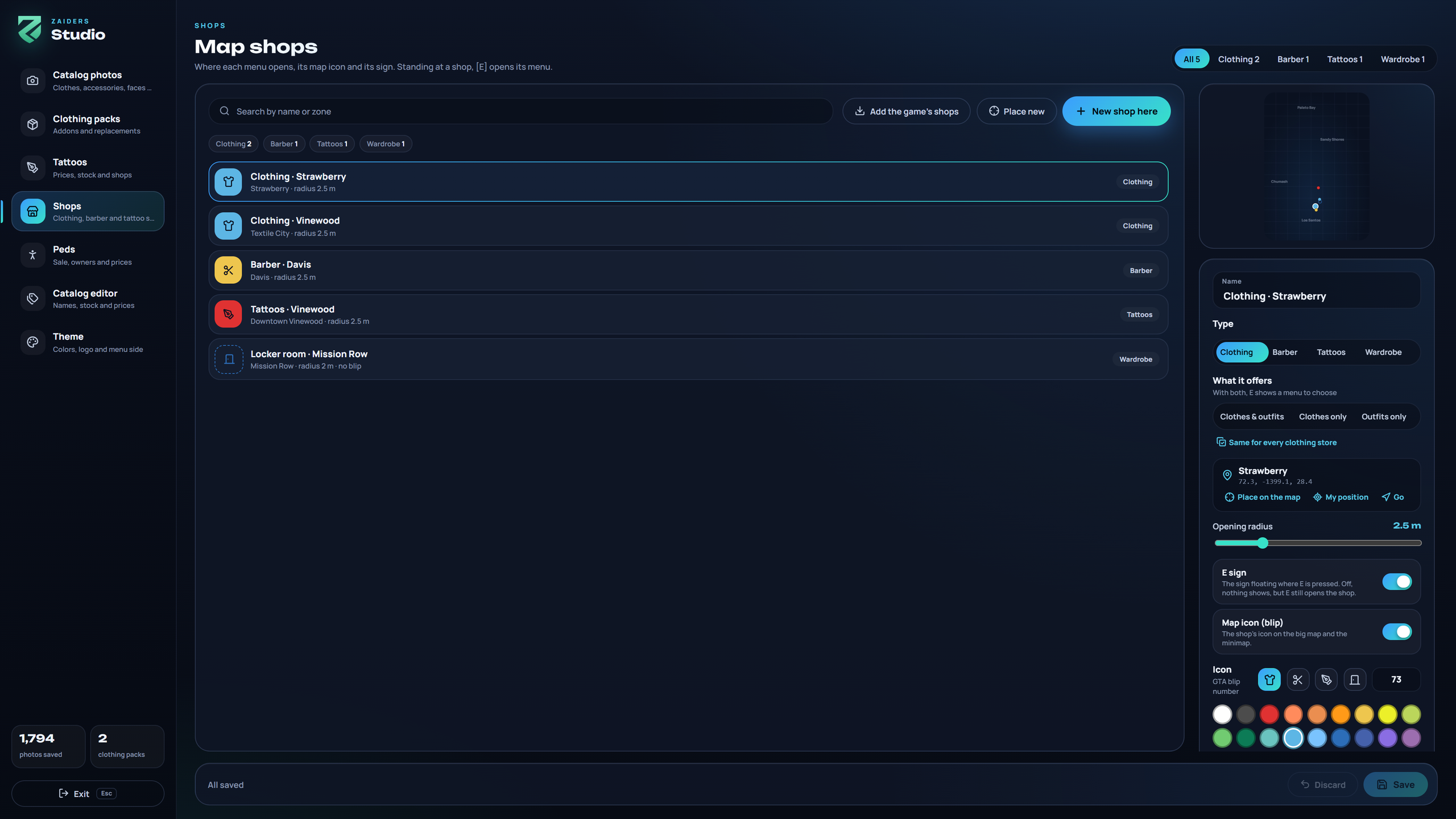
The clothing stores, barber shops, tattoo parlors and wardrobes of the map, with their blips and their E sign. You can place a shop by looking at the spot in the game. See Map shops & blips.
Peds
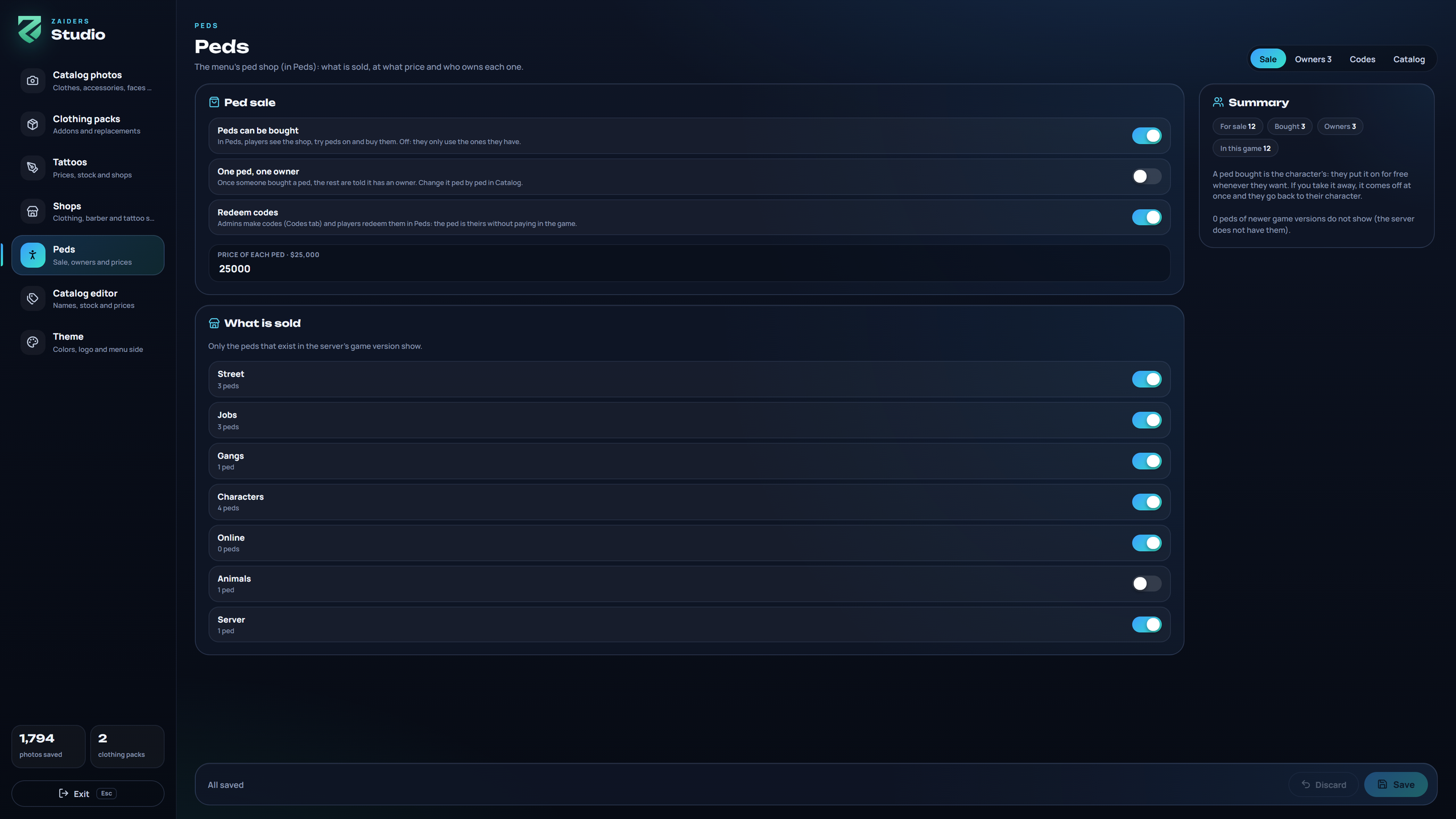
The Peds shop: Sale (on or off, one owner, codes, price, categories), Owners (who has each ped, take one away, give one), Codes (make and void ped codes) and Catalog (each ped's price and rule, and your addon peds). See Peds & ped codes.
Catalog editor
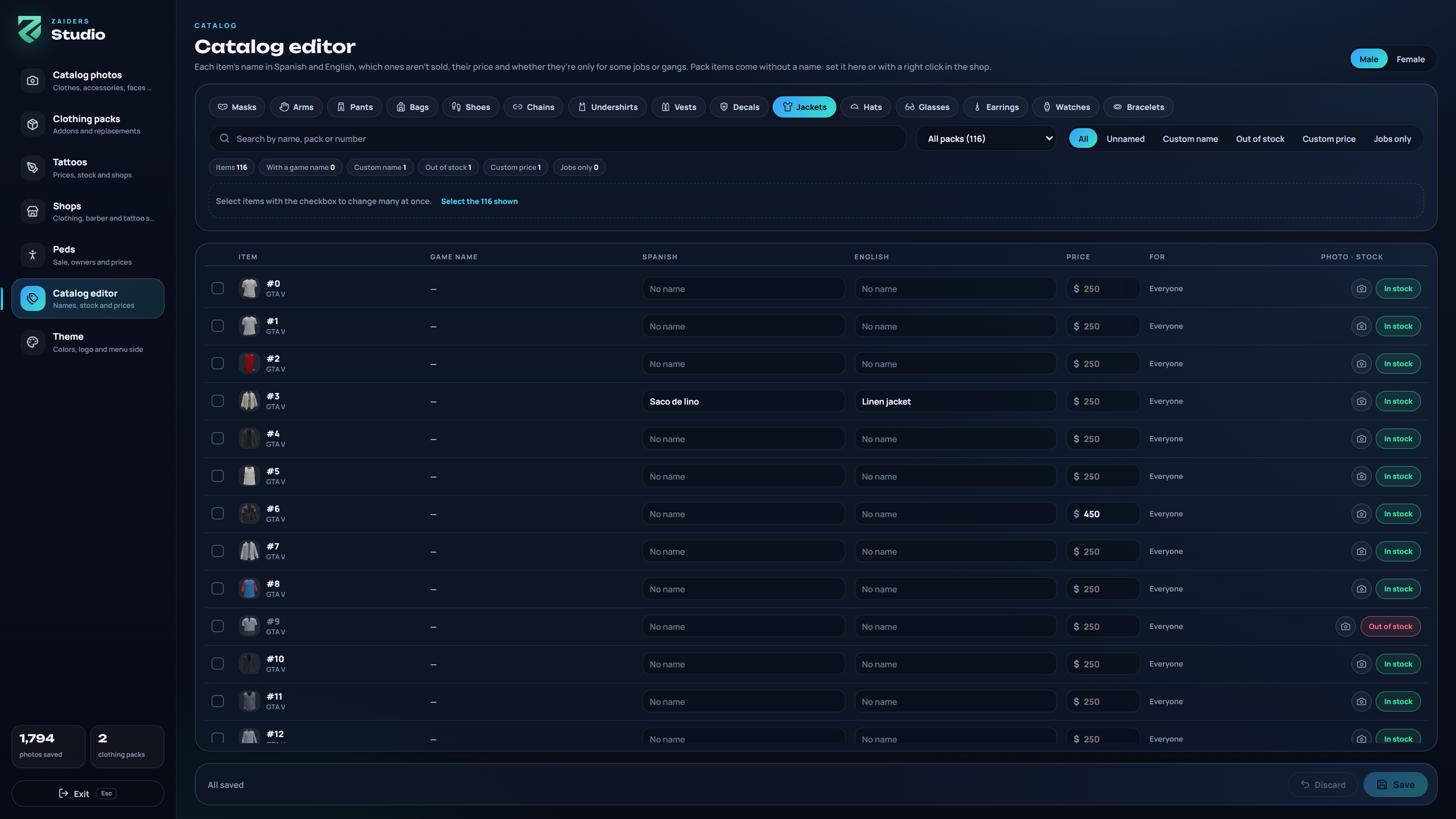
Every garment of each sex and slot in one table: its pack and number in the pack, its photo, the game's name, your names in Spanish and English (the game's name shows as a hint), its Price (the shop's price as a hint), who it's For, and In stock / Out of stock.
- Filters: by pack, Unnamed, Custom name, out of stock, custom price, jobs only. The search finds a garment by name, pack or number.
- Many at once: tick the garments (or Select the N shown) to set a price, go back to the shop's price, mark them out of stock or in stock, make them Only for… some jobs, gangs or groups, go back to the game's names, or Take the photos again.
- Save writes everything at once. Players see the changes right away.
It's the same as the right click on a garment in the shop, for many garments at a time. See Clothing store: editing a garment.
Theme
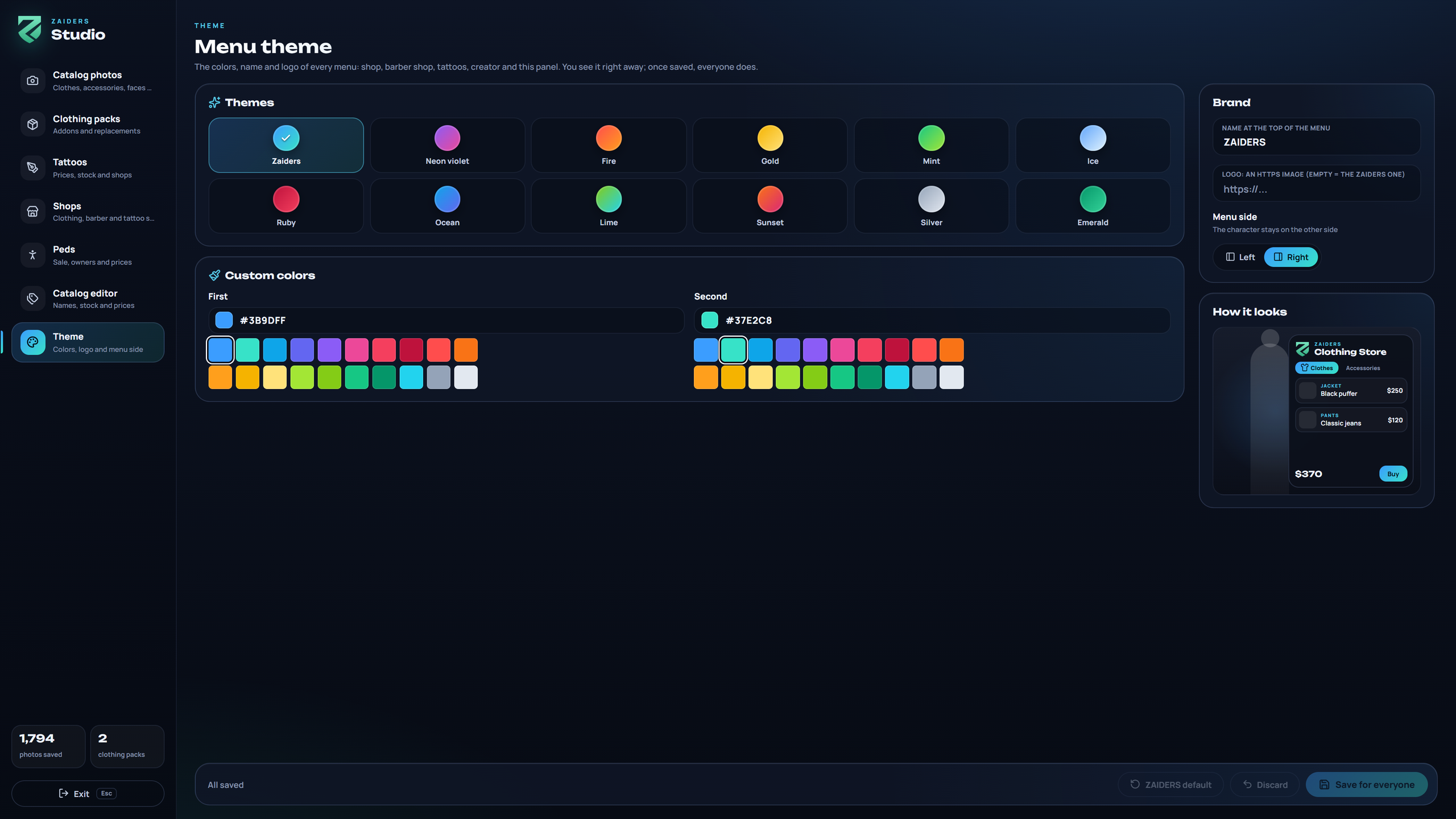
The look of every menu: the clothing store, barber, tattoos, wardrobe, creator and this panel.
- Themes: twelve ready-made color pairs. Zaiders is the default.
- Custom colors: the First and Second colors of the menu's gradient.
- Brand: the name at the top of the menu, and the logo, an image from an
https://address. Empty uses the ZAIDERS logo. - Menu side: Left or Right. The character stays on the other side.
- How it looks: a live preview. The panel changes as you try, and Save for everyone applies it to every player.
The E signs of the shops take the theme's colors too.