
Character creator
The creator opens by itself when the server creates a new character. It has everything in eight steps: sex, heritage, face, skin, hair, makeup, clothes and accessories. It's free, and a character leaves it by finishing it.
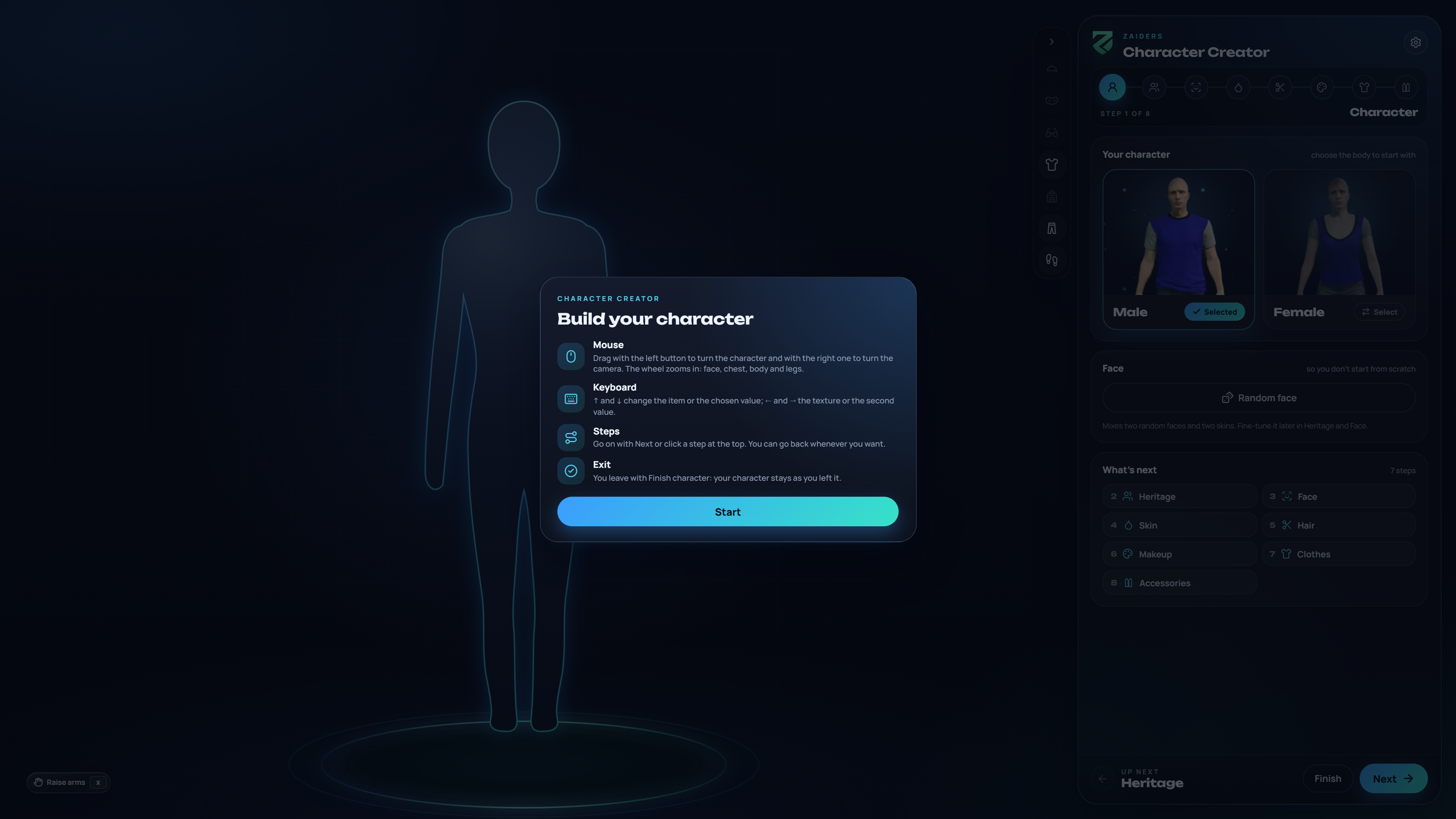
When it opens
- QBCore and Qbox: when the multicharacter fires qb-clothing's new-character event (
qb-clothes:client:CreateFirstCharacter). qb-multicharacter and most multicharacters do. Other events can be added inConfig.Creator.events. - ESX without esx_skin: on
esx_skin:openSaveableMenu. With esx_skin running, as esx_multicharacter needs, new characters are made with esx_skin's menu. - Never twice: a character that already has a look never gets the creator again. If another script asks for it, the clothing store opens instead.
- Another clothing menu running: if a resource from
Config.Creator.skipIfStartedis running, that one handles new characters, so two menus never open.
Config.Creator.enabled = false turns the creator off.
The steps
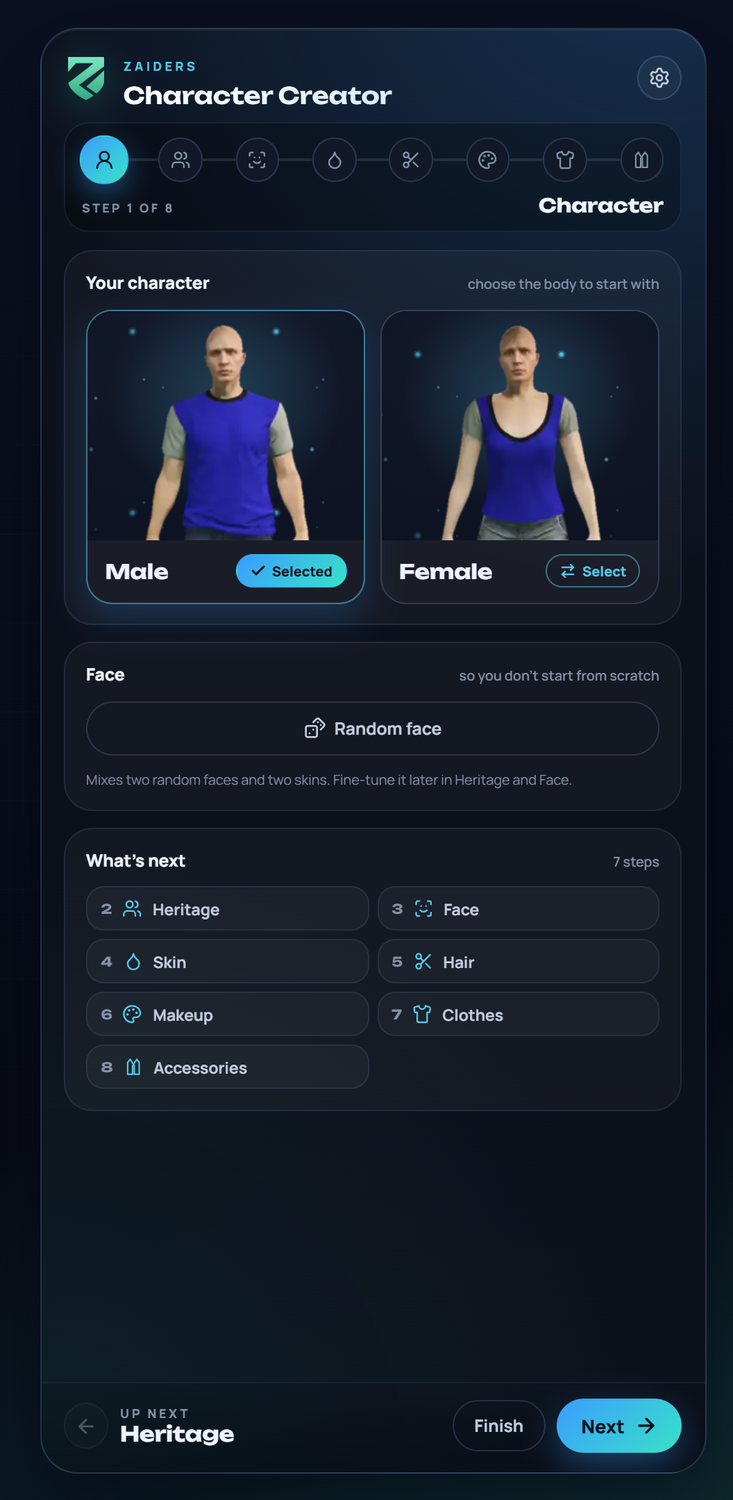
The character starts in underwear (Config.Naked) with the face of Config.Creator.face.
- Character: Male or Female, and Random face, which mixes two random faces and two skins.
- Heritage: the three faces and their mix.
- Face: the face shape.
- Skin: blemishes, aging, complexion and more.
- Hair: hairstyle, color, eyebrows and beard.
- Makeup.
- Clothes.
- Accessories.
Go on with Next, or click any step at the top. You can go back whenever you want. There are no prices in the creator, but out-of-stock and job-only garments aren't offered, just like in the store.
Finishing
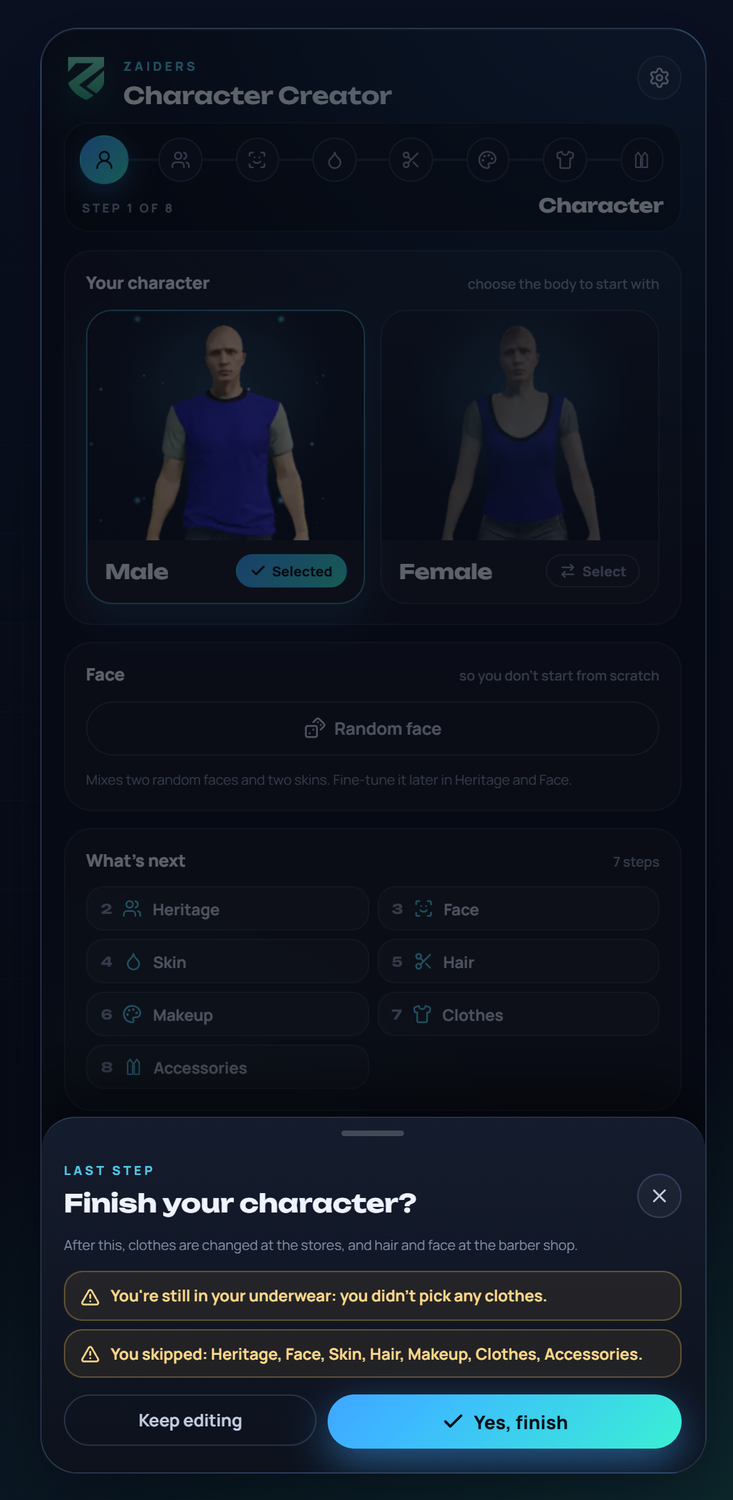
Finish character opens a last check. It reminds the player of anything they skipped, such as still being in underwear, and the steps they didn't visit. Keep editing goes back; Yes, finish saves the character.
Esc doesn't leave the creator: a new character is never left half made.
After finishing, clothes are changed in the stores, and the face and hair at the barber shop.
With your multicharacter
When the creator closes, it fires zaiders_appearance:creator:closed, plus the closing events many multicharacters already wait for to bring the HUD back and finish the spawn.
While the creator is open, the HUD stays hidden, even if the multicharacter turns it back on a few seconds after the character spawns. See Config.HideHud in the Config reference.
For admins
/zappearance creator opens the creator for your own character, to try it. Add male or female to choose the sex. Finishing it saves the new look on your character.